728x90
반응형
SMALL
프로젝트 생성
스프링부트에서 JPA를 사용하기 위해서 가장 먼저 해야할 일은 스프링부트 프로젝트를 생성해야 한다.
만약, 프로젝트를 생성하지 않았으면 아래 이미지 또는 이전 포스팅을 참고하여 프로젝트를 생성해 준다.
(자세한 설명이 필요하면 이전 포스팅을 참고하도록 하자.)
2023.03.05 - [Web Application/Spring boot] - [spring] 1. IntelliJ를 이용하여 Spring boot 프로젝트 생성
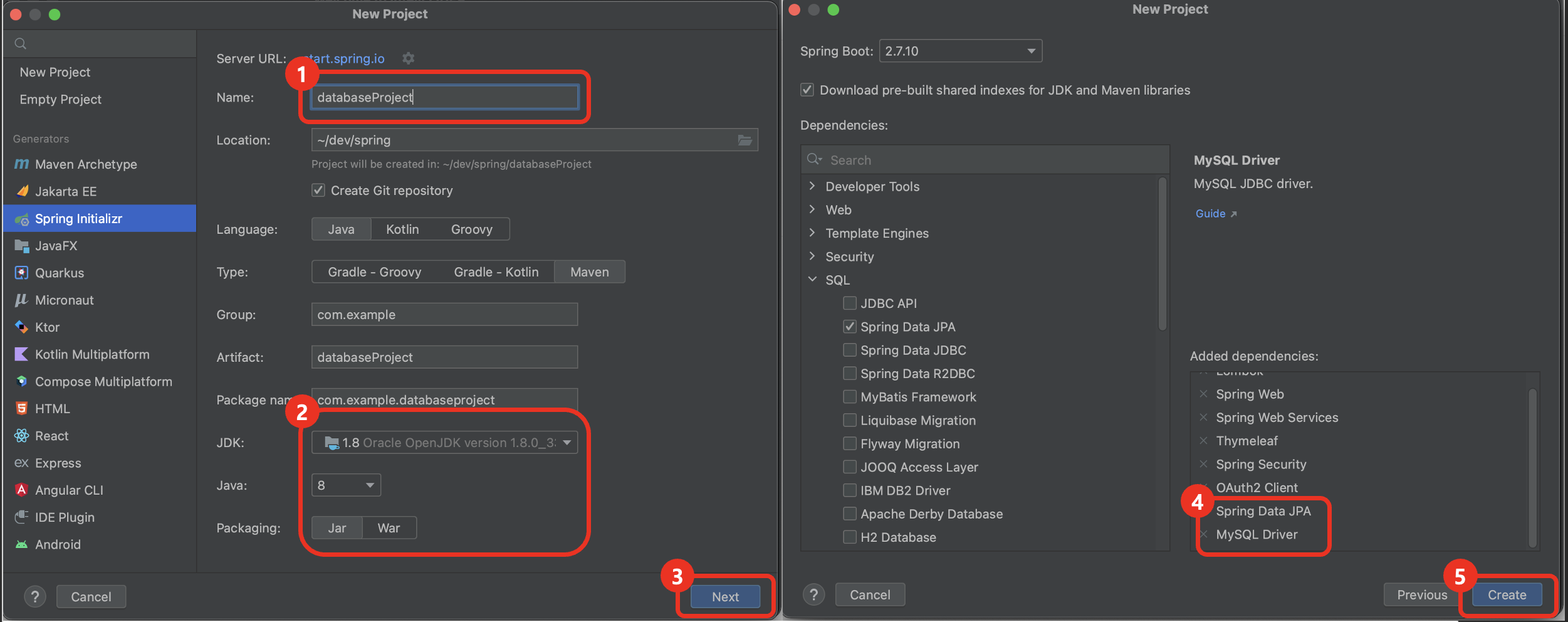
의존성 추가 및 데이터베이스 설정
이미 프로젝트가 생성된 상태라면 JPA를 사용하기 위한 의존성이 추가되어 있는지 확인해야 한다.
pom.xml에 JPA와 MySQL 관련 의존성이 추가되어 있는지 확인한 후 추가되어 있지 않는 경우 아래의 의존성을 추가한다.
<dependency>
    <groupId>org.springframework.boot</groupId>
    <artifactId>spring-boot-starter-data-jpa</artifactId>
</dependency>

<dependency>
   <groupId>mysql</groupId>
   <artifactId>mysql-connector-j</artifactId>
   <scope>runtime</scope>
</dependency>
의존성 추가 후 application.properties 파일에 데이터베이스 정보를 설정해 준다.
# MySQL
spring.datasource.url=jdbc:mysql://localhost:3306/demo_db?useSSL=false&allowPublicKeyRetrieval=true
spring.datasource.username=username
spring.datasource.password=password
spring.jpa.show-sql=true
spring.jpa.hibernate.ddl-auto=update
spring.jpa.properties.hibernate.format_sql=true
클래스 생성
1. Entity 클래스 생성
jpa를 사용하기 위해서는 데이터베이스와 매핑되는 Entity 클래스를 생성해 주어야 한다.
@SuperBuilder
@NoArgsConstructor
@Setter
@Getter
@Entity
@Table(name = "Users")
public class User {
    @Id
    @GeneratedValue(strategy = GenerationType.IDENTITY)
    @Column(name = "UserId")
    private Long id;

    @NotNull
    @Column(name = "UserName")
    private String userName;

    @Column(name = "Email")
    private String email;

}
2. Repository 생성
Entity 클래스 생성 후에는 해당 Entity 클래스를 다루는 Repository 인터페이스를 생성한다.
@Repository
public interface UserRepository extends JpaRepository<User, Long> {
}
3. 서비스 생성
다음으로는, Entity 클래스와 Repository를 사용하여 서비스를 생성한다.
@Service
public class UserService {
    @Autowired
    private UserRepository userRepository;

    public List<User> findAll() {
        return userRepository.findAll();
    }

    public Optional<User> findById(Long id) {
        return userRepository.findById(id);
    }

    public User save(User user) {
        return userRepository.save(user);
    }

    public void deleteById(Long id) {
        userRepository.deleteById(id);
    }
}
4. 컨트롤러 생성
User 테이블에 대한 비즈니스 로직을 호출하고 결과를 응답받을 수 있는 API를 구현하여 CRUD 기능을 구현할 수 있다.
@RestController
public class UserController {
    private final UserService userService;

    @Autowired
    public UserController(UserService userService) {
        this.userService = userService;
    }

    @GetMapping("/users")
    public List<User> getAllUsers() {
        return userService.getAllUsers();
    }

    @PostMapping("/users")
    public User saveUser(@RequestBody User user) {
        return userService.saveUser(user);
    }
}
728x90
반응형
LIST