728x90
반응형
SMALL
homebrew를 이용하여 mac에 MySQL을 설치한다.
먼저, homebrew가 설치되어 있는지 확인한다.
$ brew -v
1. 설치되어 있는 경우
Homebrew 4.0.6
Homebrew/homebrew-core (git revision 80bd165fe6f; last commit 2023-03-18)
Homebrew/homebrew-cask (git revision 86da4ce608; last commit 2023-03-17)
2. 설치되어 있지 않는 경우
2-1. 터미널을 실행하여 아래 명령어를 입력한다.
$ /bin/bash -c "$(curl -fsSL https://raw.githubusercontent.com/Homebrew/install/HEAD/install.sh)"
2-2. 설치가 완료되면 버전을 확인하는 명령어를 입력한다.
$ brew -v
zsh: command not found: brew
위와 같이 오류가 발생하면, 환경변수를 설정해주는 과정이 필요하다.
* brew 환경변수 설정
1. 터미널에서 open ~/.zshrc를 입력한다.
2. .zshrc가 열리면 환경변수를 추가한 후에 창을 닫는다.
3. 다시 터미널로 돌아가서 source ~/.zshrc 명령어를 실행해준다. (실행 안하면 반영 안됨!!!!!)
$ open ~/.zshrc

export PATH=/opt/homebrew/bin:/usr/local/bin:/usr/bin:/bin:/usr/sbin:/sbin:~/.dotnet/tools

#환경변수 반영
$ source ~/.zshrc
환경변수까지 설정이 완료되었다면, brew로 MySql을 설치할 수 있다.
MySQL 설치하기
1. homebrew 버전 확인
% brew -v
Homebrew 4.0.6
2. MySQL 설치하기
% brew install mysql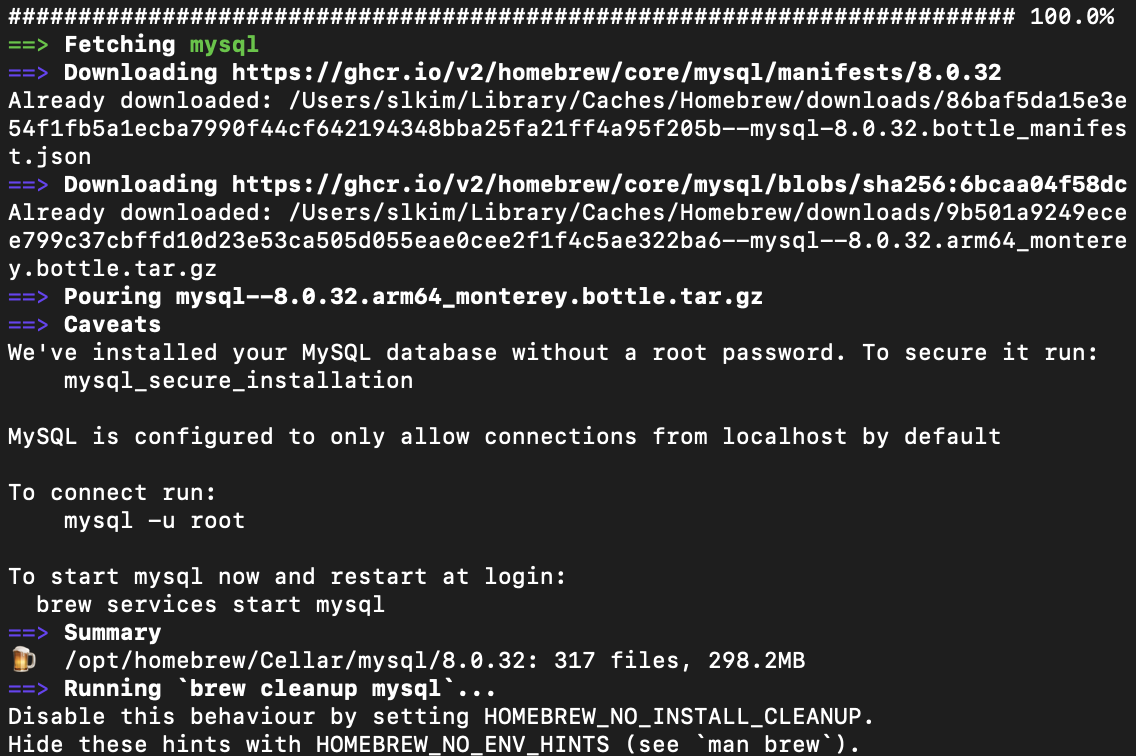
3. MySQL 실행하기
MySQL이 설치가 완료되었으면, 아래 명령어를 통해 mysql을 실행한다.
#mysql 서비스 실행
$ brew services start mysql
==> Successfully started `mysql` (label: homebrew.mxcl.mysql)
4. MySQL 보안설정
root 비밀번호 초기화 및 보안설정을 강화하는 명령어이다.
#보안설정은 0(LOW로)
$ mysql_secure_installation

New password:

Re-enter new password:

Estimated strength of the password: 50
Do you wish to continue with the password provided?(Press y|Y for Yes, any other key for No) : y
By default, a MySQL installation has an anonymous user,
allowing anyone to log into MySQL without having to have
a user account created for them. This is intended only for
testing, and to make the installation go a bit smoother.
You should remove them before moving into a production
environment.

Remove anonymous users? (Press y|Y for Yes, any other key for No) : y
Success.


Normally, root should only be allowed to connect from
'localhost'. This ensures that someone cannot guess at
the root password from the network.

Disallow root login remotely? (Press y|Y for Yes, any other key for No) : y
Success.

By default, MySQL comes with a database named 'test' that
anyone can access. This is also intended only for testing,
and should be removed before moving into a production
environment.


Remove test database and access to it? (Press y|Y for Yes, any other key for No) : y
 - Dropping test database...
Success.

 - Removing privileges on test database...
Success.

Reloading the privilege tables will ensure that all changes
made so far will take effect immediately.

Reload privilege tables now? (Press y|Y for Yes, any other key for No) : y
Success.

All done!
5. MySql 실행하기
$ mysql -uroot -p
Enter password:
* 참고
#mysql 서비스 항상 실행
$ brew services start mysql

#mysql 서비스 중지
$ brew services stop mysql
728x90
반응형
LIST
'Infra' 카테고리의 다른 글
| [MySQL] DataGrip를 이용하여 MySQL 연결하기 (0) | 2023.03.26 |
|---|---|
| [MySQL] Homebrew mysql root 비밀번호 변경/재설정 방법(Mac, M1) (0) | 2023.03.26 |
